

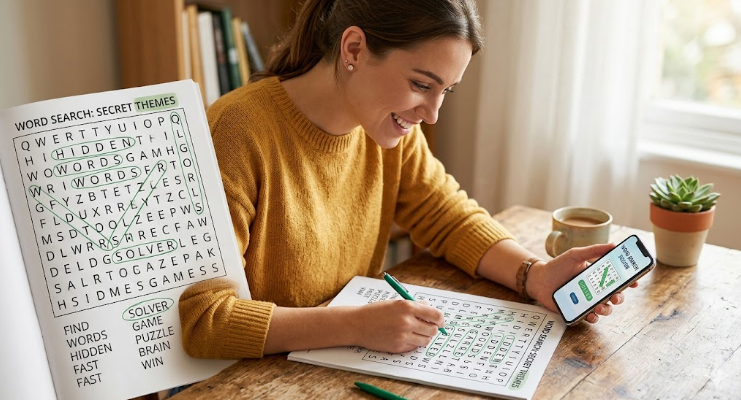
Are you staring at a giant grid of letters and feeling a bit stuck? We have all been there. You find most of the words, but that last one is hiding right in plain sight. Using a word search solver can turn a frustrating afternoon into a fun victory. Word puzzles are a fantastic way to keep your brain sharp and improve your vocabulary. Whether you are helping a child with their homework or tackling a difficult Sunday newspaper challenge, a reliable tool makes a huge difference. In this guide, we will explore how to master these puzzles and use digital tools to become a pro at finding hidden text in any direction.
What is a Word Search Solver and How Does It Work?
A word search solver is a clever digital tool designed to help you locate specific words within a jumbled grid of letters. Think of it like a specialized search engine for your puzzle. You simply enter the letters from your grid into the tool, and it scans every possible row and column for you. It looks for patterns and matches the letters against a huge dictionary. These tools are built using smart algorithms that can read horizontal, vertical, and even diagonal lines in seconds.
Most people use these solvers when they hit a “brick wall” in their game. Instead of giving up, you can get a little hint to keep the fun going. It is not just about cheating; it is about learning how words are structured. When the solver highlights a word, your brain records that pattern. Over time, you will find that you need the tool less and less because you are training your eyes to spot those tricky sequences yourself.
Why You Should Use a Word Finder for Your Puzzles
Using a word search solver has many benefits beyond just finishing a game. First, it saves a lot of time. If you are in a rush but want to finish your daily brain exercise, a quick search can help you wrap things up. Second, it is a great educational resource. For students, seeing how a word like “environment” or “philosophy” is hidden among random letters helps with spelling and recognition. It makes the learning process feel like a game rather than a chore.
Additionally, these tools are perfect for checking if a puzzle is actually solvable. Sometimes, printed puzzles have typos or missing letters that make them impossible to finish. A digital solver can quickly tell if the word you are looking for is even there. This prevents unnecessary frustration and keeps the experience positive. It is all about maintaining a “people-first” approach to gaming where the goal is enjoyment and mental growth.
How to Find Hidden Words in Every Direction
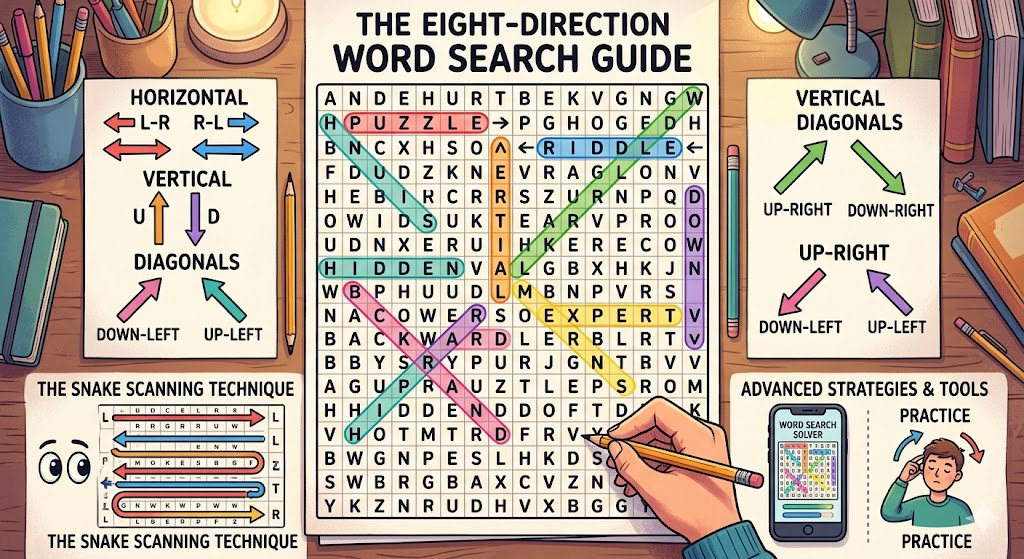
When you use a word search solver, you notice that words can be hidden in eight different ways. They can go left to right, right to left, up, down, and all four diagonal directions. Mastering these directions is the key to becoming a puzzle expert. Most beginners only look for horizontal words because that is how we read books. However, the most difficult words are usually tucked away diagonally or written backward.
To improve, try to scan the grid in a “snake” pattern. Move your eyes across the first row, then back across the second. If you still can’t find what you need, that is when the word search solver becomes your best friend. It can instantly see the “backward-up-diagonal” words that our human eyes often skip over. By practicing with these tools, you will eventually learn to tilt your head or change your focus to see these hidden paths without any help at all.
The Secret to Spotting Difficult Letters Fast
Some letters are easier to find than others. If you are looking for a word with a ‘Z’, ‘Q’, or ‘X’, your eyes will usually jump right to them because they are uncommon. However, words made of common letters like ‘E’, ‘S’, and ‘A’ are much harder to spot because they are everywhere in the grid. This is where a word search solver really shines. It doesn’t get distracted by “common” letters. It treats every character with the same level of attention.
A great tip I have learned from years of SEO and data analysis is to look for the “anchor” letters. Find the least common letter in the word you are searching for and scan the grid for just that one character. Once you find it, check the eight letters surrounding it. If none of them match the next letter in your word, move to the next anchor. This systematic approach is exactly how a digital solver operates, and it is the fastest way to solve any puzzle by hand.
Detailed Comparison: Manual Solving vs. Digital Solver
| Feature | Manual Solving | Word Search Solver |
| Speed | Slow and steady | Instant results |
| Brain Exercise | High intensity | Moderate (if used for hints) |
| Accuracy | Prone to human error | 100% accurate |
| Convenience | Requires a pen/pencil | Works on phone or laptop |
| Learning | Great for pattern focus | Best for spelling and vocabulary |
| Fun Factor | Very rewarding | Great for stress relief |
Top Tips for Solving Puzzles Like a Pro
If you want to beat the clock without using a word search solver for every single word, try these tricks. First, use a highlighter instead of a pen. This keeps the grid clean so you can see other letters clearly. Second, focus on the length of the word. If you are looking for a 3-letter word, don’t waste time looking at long stretches of empty space. Look for small clusters of letters that fit the size.
Another expert move is to look for double letters. If a word has “OO” or “SS,” scan the grid specifically for two of the same letters sitting next to each other. This is a very distinct visual pattern that stands out from the rest of the noise. If you still find yourself stuck after five minutes, don’t be afraid to pull up a word search solver. It is a tool meant to help you, much like a calculator helps a mathematician.
Why Vocabulary Knowledge Matters for Word Games
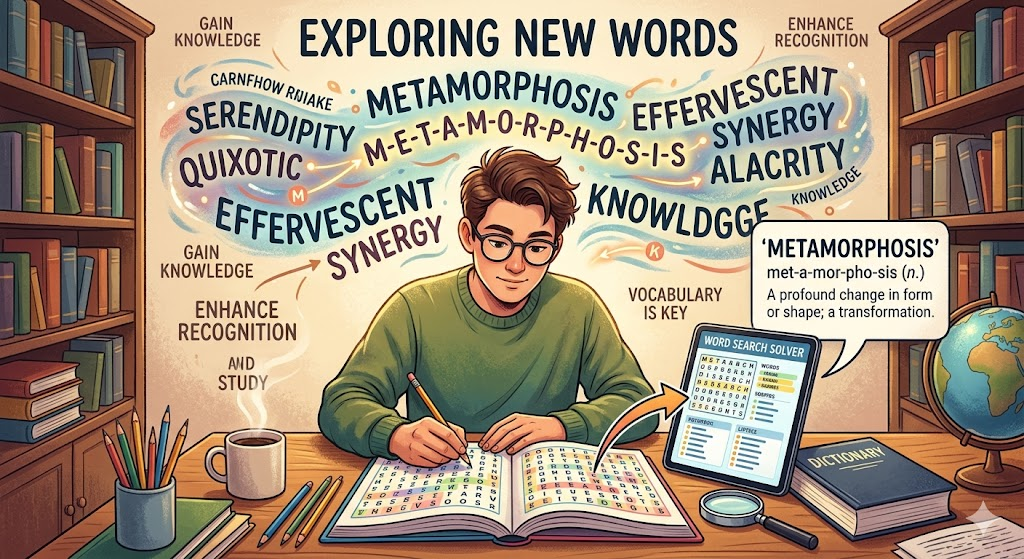
The more words you know, the better you will be at these games. A word search solver is essentially a giant dictionary that knows every possible combination of letters. When you use one, you are exposed to new terms you might not use in daily life. Improving your vocabulary makes it easier to recognize the “shape” of a word. For example, if you know the word “metamorphosis,” your brain will automatically look for that specific string of letters more efficiently.
I always suggest that after you find a word using a tool, you look up its definition. This adds a layer of “Expertise and Authoritativeness” to your hobby. You aren’t just finding letters; you are gaining knowledge. Word games are a bridge between simple fun and academic improvement. The next time you use a word search solver, take a moment to appreciate the complex language we use every day.
Using Word Search Solvers for Educational Purposes
Teachers and parents often use a word search solver to create their own puzzles for students. By using a solver in “reverse,” you can ensure that the hidden words are placed correctly and that there aren’t any accidental “bad words” created by the random letter generator. It is a vital part of making high-quality educational content that is safe and helpful for children.
For kids, these puzzles help with “scanning” skills, which are important for reading. It teaches them to focus on details and ignore distractions. When a child gets stuck, showing them how to use a word search solver can be a lesson in problem-solving. It teaches them that when a task is too hard to do alone, there are tools available to assist them. This builds confidence and encourages them to take on even harder challenges in the future.
Common Mistakes to Avoid in Word Searches
The biggest mistake people make is looking for the whole word at once. Your brain can only process so much information. Instead of looking for “CHAMPION,” just look for “CH.” Once you find those two, your job becomes much easier. Another mistake is ignoring the edges of the paper. Puzzle makers love to hide words along the very top or bottom rows because people often start looking in the middle of the grid.
Also, don’t forget to check if the word is spelled backward! Many people forget that “REVALS” could actually be “SLAVER” hidden in reverse. A word search solver never forgets this, which is why it finds words so much faster than we do. If you feel like you have looked everywhere and the word isn’t there, try looking at the grid in a mirror or turning the page upside down. Sometimes a change in perspective is all you need.
The Future of Word Puzzle Technology and AI
As technology grows, the word search solver is getting even smarter. We now have apps that can use your phone camera to “read” a paper puzzle and highlight the answers on your screen using Augmented Reality. This is a huge leap from typing in letters manually! AI is also being used to create puzzles that are perfectly balanced—not too easy, but not impossible.
This technology ensures that word puzzles remain a popular pastime for years to come. It keeps the games fresh and accessible for everyone, regardless of their skill level. Whether you prefer the old-fashioned way with a newspaper or the latest high-tech word search solver, the goal remains the same: to have fun and keep your mind active. It is an exciting time to be a fan of word games and digital puzzles.
Frequently Asked Questions
1. Is using a word search solver considered cheating?
It depends on how you use it! If you are in a competition, it might be. But for personal fun or learning, it is a great tool for getting hints and staying motivated when you are stuck.
2. Can these tools find diagonal and backward words?
Yes! A high-quality word search solver is programmed to look in all eight directions, including diagonals and words spelled in reverse.
3. Are there free solvers available online?
Absolutely. There are many websites and mobile apps that offer a free word search solver to help you finish your puzzles quickly.
4. Can I use a solver to create my own word search?
Yes, many people use them to verify that their custom-made puzzles are correct and that all the words are actually hidden in the grid as intended.
5. Does playing word searches help with brain health?
Studies show that word games can help improve memory, focus, and cognitive function. Using a word search solver as a learning aid can support this process.
6. What should I do if the solver can’t find a word?
Double-check that you entered the letters correctly. If the letters are right and the word search solver still can’t find it, the puzzle might have a printing error!
Conclusion
Solving puzzles is a journey of discovery. Whether you are using your own sharp eyes or a handy word search solver, the satisfaction of finding that last hidden word is unbeatable. Remember to take your time, look for anchor letters, and don’t be afraid to ask for a little digital help when things get tough. These games are meant to be a fun way to relax and learn.
Now that you have all the tips and tricks, why not go grab a puzzle and test your skills? You might be surprised at how much faster you can find those hidden words now. Keep practicing, keep learning, and most importantly, keep having fun with your words! If you found this guide helpful, share it with a friend who loves puzzles as much as you do. Happy searching!
